FOR YOUR MAC
MetaFor
Scroll to explore Chat & Help01 / CHAT
MetaFor Chat
Explore a conversation as connected topics.
Follow a topic
Open a topic, go deeper, then return where you left off.
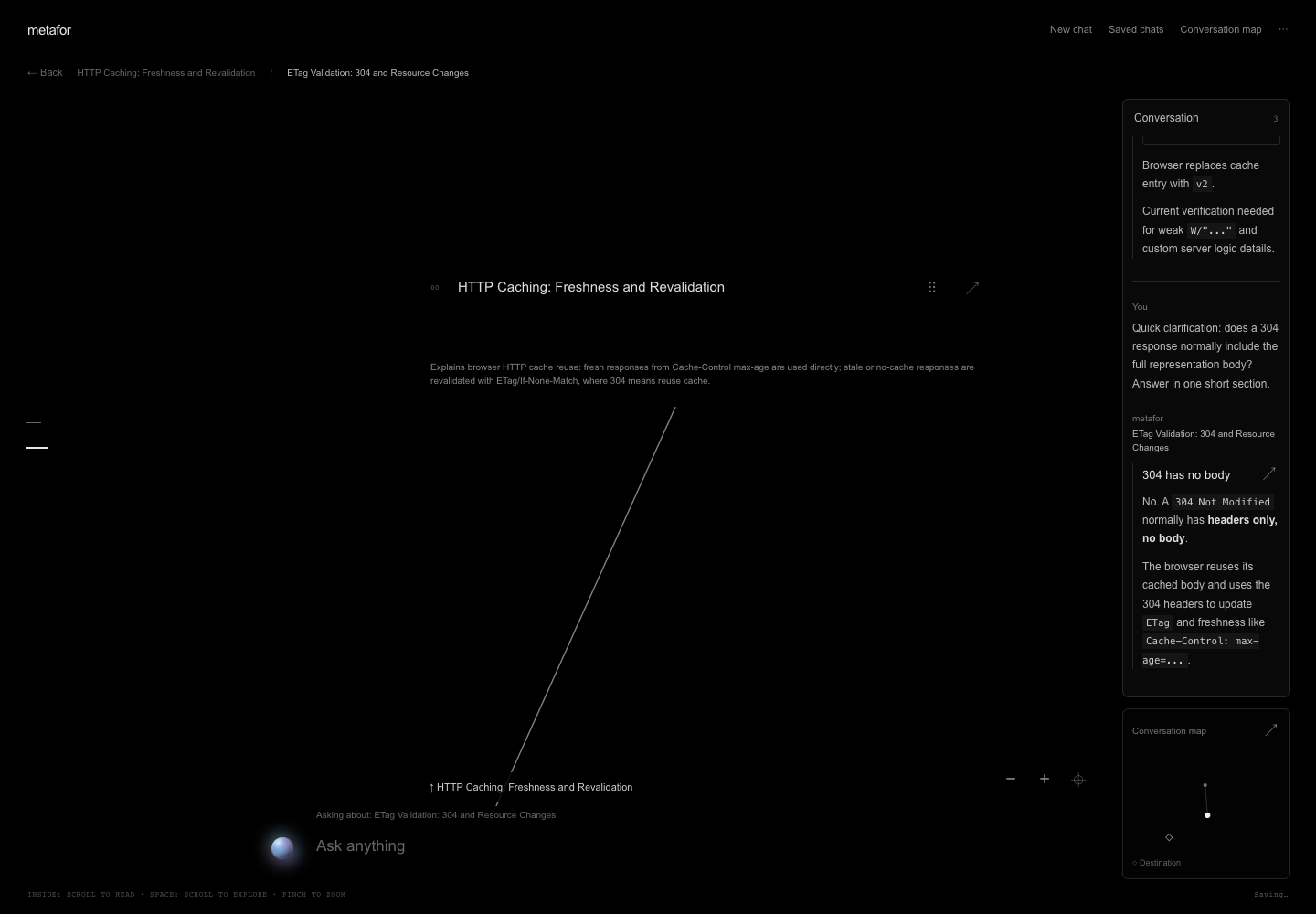
Ask about a passage
Select text and ask a question beside it. Your follow-up stays connected to its source.
Keep the whole picture
Move between the conversation and its map. Save locally, or export your conversation with its connections.
02 / HELP
MetaFor Help
Ask about what’s on your screen.
Bring up Help
Press ⌥ M (Option + M) in any app to open the small Help bar. Press it again to close.
Get an answer in context
Help shares a screen snapshot with your question to get an explanation, a translation, or a visual pointer. Screen Recording permission is required.
Continue in Chat
Open your Help conversation in MetaFor Chat when you want to explore it further.
SEE IT IN ACTION
Demo video
Watch on YouTubeGET STARTED
Try it on your Mac.
Bring your own model API key.
Download MetaFor01Move MetaFor to Applications.
02Add your model API key in Settings.
03Open Chat, or try Help.
A model API key and internet connection are required. Help needs macOS Screen Recording permission.
This preview is not notarized. macOS may ask you to allow it in Privacy & Security.
Installation guide Release & checksum